 LinkedLeads
Best digital business card in 2026: a checklist and our pick
By the LinkedLeads team. Updated .
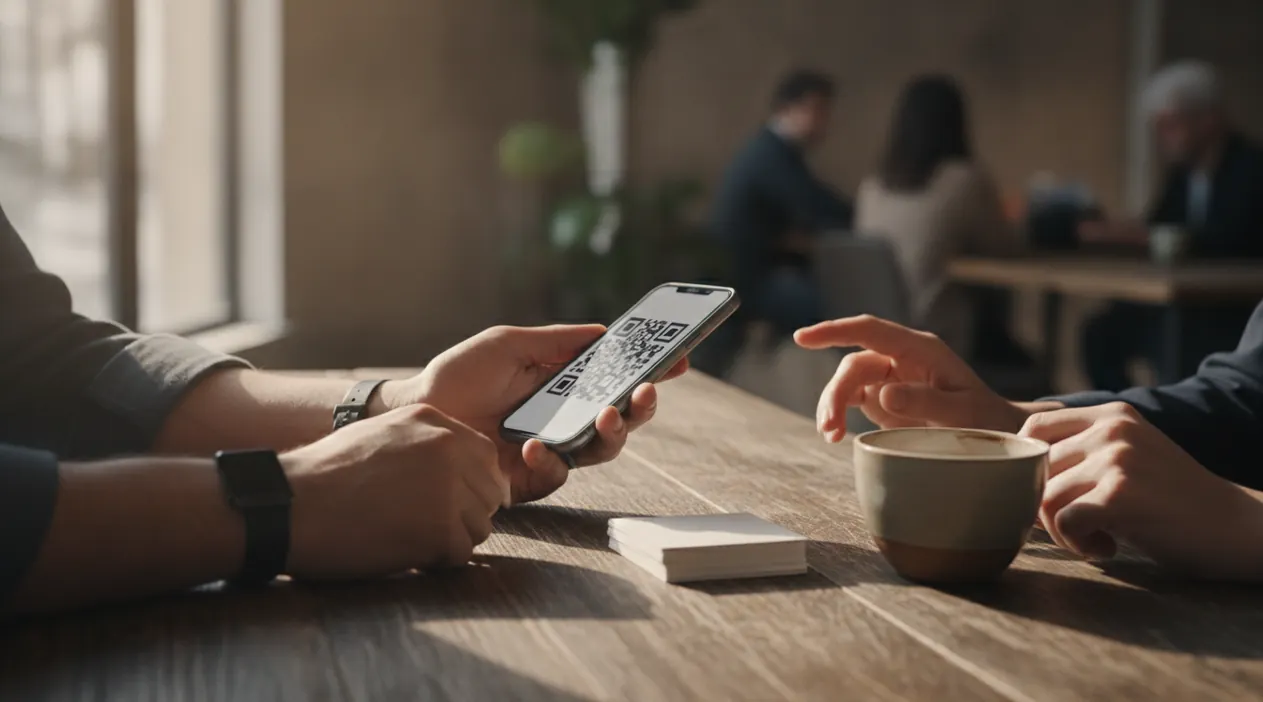
The best digital business card gets a new contact into your CRM within minutes of the handshake. Look for a shareable URL and QR code, contact export, details you can edit without reprinting, and a free plan you have tested; LeadRel, made by the team behind LinkedLeads, is our disclosed pick for lead capture and follow-up.
Best digital business card options at a glance
One pick, one category of alternatives, and the paper card for reference. Pricing changes, so read each provider's current plan page before you commit.
| Option | Best for | Free tier | Standout |
|---|---|---|---|
| LeadRel (made by the team behind LinkedLeads) | Capturing contacts at events and sending a drafted follow-up the same day | Check current plans on the LeadRel site | QR code business cards, a badge scanner and business card scanner, AI notes and drafted follow-ups in one app |
| A card app you choose yourself, such as Blinq or Popl | People who prefer another interface or price | Varies by provider, so test the contact export before relying on it | Worth buying only if it passes the checklist below |
| Paper card | Moments when nobody wants to pull out a phone | Not applicable, you pay per print run | Nothing to scan and nothing to break, but you cannot edit it after printing |
How we picked the best digital business card
We did not run hands-on tests of rival apps for this page, and we do not rank them. We scored one app, LeadRel, against a six-point checklist using its documented features, and we give you the same checklist so you can score anything else. LeadRel is made by our team, so read that pick as ours and judge it on the checklist, not on our word.
The checklist comes from what a B2B card has to do: get the contact info across, get your contact info back, and start a conversation fast. The buying guide further down lists each point and the decision behind it.
LeadRel: best for turning a conversation into a drafted follow-up
It's 4 p.m. on day one of a trade show, you've had forty conversations, and the stack of cards in your pocket is names without context. LeadRel, made by the team behind LinkedLeads, is built for that moment.
It earns the capture-and-follow-up label because it pairs the card itself with the tools that come after it: a badge scanner, a business card scanner (see our guide to business card scanner apps), AI notes you attach to each contact, and AI-drafted follow-ups. Among the options on this page, it is the only one we can point to that documents all four together. Every card also comes with an email signature and a meeting background, so the same details show up in your inbox and on video calls. It connects with Gmail, Outlook, calendars, Slack, Zapier and CRMs.
Where it falls short: the HubSpot integration is in beta, so test it with a dummy contact before an event. We also have not listed pricing or free-tier terms here, because they change; check the plan page first. And yes, we made it.
Pick it if you work events, want notes and a draft message waiting when you get back to your desk, and want one tool for the card, the scan and the follow-up. Skip it if all you need is a link to a profile page.
Blinq, Popl and other card apps worth scoring
Blinq and Popl are names that show up in searches, and either may suit you. We have not compared their plans here, so we can't say one beats the other or beats LeadRel. Run each through the same checklist, side by side, with a free account. If you want tap-to-share hardware, read how tap-to-share NFC cards work first, because the tag is only one of several ways to share a profile.
Whichever app you try, the deciding questions are the same: can you export your contacts, can you edit the card after printing a QR code on a banner, and does a new contact reach your CRM without retyping?
Free digital business card: what to check before you trust it
A free digital business card is fine for a weekend conference. It gets risky when your QR code is printed on a booth banner, your signature and your LinkedIn bio. Storage, branding, CRM integrations, analytics and export limits vary by provider, and a card can stop working, change features or restrict exports if the provider changes its pricing.
Spend ten minutes on this before you print anything:
- Create the card with your real name, role, company, email, phone and website.
- Export your own contact, then open the file in your phone's contacts, and see what a vCard file is and how it works if the format is unfamiliar. If it is missing fields, you found a limit.
- Check for provider branding on the card and on the shared page.
- Send a test contact into your CRM or a spreadsheet through the integration you plan to use.
- Look for views, clicks or saves in the analytics, and see whether they are on the free plan.
If you only need a scannable code with your details, you can make a vCard QR code with no account at all.
LeadRel against the checklist
This table runs LeadRel through each checklist point and says what to confirm yourself. We do the same for ourselves that we ask you to do for any competitor.
| Checklist point | What LeadRel documents | What to confirm before you buy |
|---|---|---|
| Shareable profile and QR code | QR code business cards | That the card shows the fields you want: name, role, company, email, phone, website, social links |
| Capturing the other person | Badge scanner, business card scanner and AI lead capture | How a scanned badge looks in your CRM after sync |
| Follow-up | AI notes and drafted follow-ups | That the draft sounds like you; edit before sending |
| CRM and inbox connections | Gmail, Outlook, calendars, Slack, HubSpot (beta), Zapier and CRMs | Beta status of HubSpot; test with one contact |
| Analytics | Check the LeadRel site | Whether views, clicks and saves are shown, and on which plan |
| Price and free tier | Check the LeadRel site | Current plan limits, export rules and data retention |
Why response speed decides which card is best
A digital business card doesn't create leads by itself. What it can do is shorten the gap between meeting someone and contacting them, and that gap has been studied.
In a 2011 study, The Short Life of Online Sales Leads, James Oldroyd, Kristina McElheran and David Elkington analyzed 1.25 million leads from 2,241 companies. Companies that contacted a lead within one hour were nearly 7 times as likely to qualify it as companies that waited one more hour, and more than 60 times as likely as companies that waited 24 hours or longer (as summarized by Bebop and EngageBay).
A separate lead response study by Oldroyd with InsideSales.com covered more than 15,000 web-generated leads and more than 100,000 call attempts over three years. Reaching a lead within 5 minutes instead of 30 was associated with 100-times higher odds of contact and 21-times higher odds of qualification (as summarized by TeleCRM and Cirrus Insight). A 2021 InsideSales analysis of 5.7 million inbound leads at more than 400 companies reported conversion rates more than 8 times higher when the first attempt came within 5 minutes than when it came between 5 minutes and 24 hours.
Most companies are slow. A Bebop summary of a recent analysis reports that 37% of leads got a response within an hour, 24% waited more than 24 hours and 23% got no response at all. Among companies that did reply within 30 days, the average was 42 hours.
Persistence has a ceiling too. A Cirrus Insight summary reports that about 93% of leads that ultimately convert are reached by the sixth call attempt, and leads that needed seven or more calls were about 45% less likely to convert.
The takeaway for a card: pick the one that moves the contact into your CRM in real time and gets you writing within minutes, because the studies tie speed to contact and qualification. Want the follow-up itself? Our sales follow-up email templates are built for that window.
Buying guide: six things to check in any digital business card app
- Shareable profile URL and QR code. If you can't share the card in under five seconds, you will fall back to dictating your number. The sales effect of QR versus NFC versus link is not established, so choose by what your audience does.
- A complete contact. Name, role, company, email, phone, website and social links. People save what's complete; a card missing your role makes it harder to remember why you met.
- Export or CRM integration. This decides whether the card saves time or just adds another inbox to check. Real-time CRM handoff is the practical step the lead-response research points to.
- Editing without reprinting. A new job title or a changed phone number shouldn't cost you a print run. This is the main reason to leave paper.
- Analytics. Views, clicks and saves are useful to see which events produce interest, but they are engagement numbers, not pipeline.
- Consent and data handling. A digital card can expose personal and business data. Consent rules vary by jurisdiction and lead source, so verify them before you put scanned contacts into marketing or sales sequences.
If your goal is a full system for collecting and following up on contacts, see how lead capture at events fits around the card.
Your card is the first thing you say about who you are
A business card, paper or digital, is a short statement of identity. It decides what the other person remembers you as: a title, a company, or someone who solves a specific problem. A digital card gives you the chance to rewrite that statement every week without reprinting anything.
Try this today. Write the line under your name in one sentence a stranger could repeat: what you do, for whom, and the result, and pair it with these practical networking tips for events. Then test it on three people and see which words they keep. Put the winning version on the card, in your email signature (you can build one with a free email signature generator you can copy) and on your meeting background.
Then write the message you'll send within five minutes of meeting someone. A template to start from:
Hi [first name], good to meet you at [event]. You mentioned [the specific problem]. Here's [one useful link or answer]. Do you have 15 minutes on [day] to talk it through?
The specific problem line is what separates a follow-up from a mass email, which is why a scan with a note attached beats a scan alone. For the full approach to turning contacts into pipeline, see the broader B2B lead generation playbook, and for the card basics read what a digital business card is.
How to measure whether your digital business card works
Nobody has shown with a controlled comparison that digital cards beat paper in closed sales, so measure it yourself:
- Track time to first response for every contact you collect.
- Set a target of contacting new inbound leads within 5 minutes, which is the window the Oldroyd and InsideSales research tied to higher contact and qualification odds.
- Record contact rate, qualification rate, meeting rate and closed revenue separately. Qualification in the cited study meant a meaningful conversation with a key decision-maker, not a sale.
- Give some people digital cards and others paper cards or none, then compare after a quarter.
Limits of the evidence on digital business cards
The response-time studies cover online leads, not contacts exchanged through cards, and they measure contact and qualification, not revenue. They are observational, so speed alone may not explain the gaps, and several figures above come from secondary summaries rather than the original papers. People who scan a QR code may already be more interested, so the card's own effect is unknown. Claims like "40% more qualified leads" from a card are not backed by evidence we could verify.
Our pick for the best digital business card
If you capture contacts at events and want a drafted follow-up waiting afterward, we recommend LeadRel, made by the team behind LinkedLeads, and we'd ask you to test its free-tier limits and CRM sync with one contact first. If you prefer another app, score it against the six points above, and keep whichever one lets you reply within five minutes.
Questions people ask about best digital business card
What is the best digital business card?
The best digital business card has a shareable URL and QR code, contact export or CRM integration, editable details and sound data handling. LeadRel, from the team behind LinkedLeads, is our disclosed pick.
Is there a free digital business card?
Check each free plan for storage, branding, analytics, CRM integration and export limits, because these vary by provider. Export your own contact once before you rely on it.
What should a digital business card include?
Name, role, company, email, phone, website and social links, plus a profile URL and QR code. You should also be able to edit the details without reprinting anything.
Does a digital business card generate leads?
Not on its own. It can make contact capture faster and more complete, but leads still depend on how quickly and how well you follow up after the exchange.
How fast should I follow up after meeting someone?
Aim to reach new inbound leads within 5 minutes. Oldroyd and InsideSales research linked that window to 100-times higher odds of contact and 21-times higher odds of qualification than 30 minutes.
Which is better, Blinq or Popl?
We have not ranked either here. Score both on the same checklist: QR and URL sharing, export or CRM sync, editable details, analytics and free-plan limits, then pick the one that passes.
Do digital business cards close more sales than paper cards?
No verified controlled comparison is available. Test digital-card users against paper-card or no-card users and compare contact rate, meetings and revenue.
Do I need consent before adding a scanned contact to a sequence?
Verify consent first. Rules vary by jurisdiction and lead source, so check the requirements where you and your contact are located before adding anyone to marketing or sales sequences.